Skip to product information

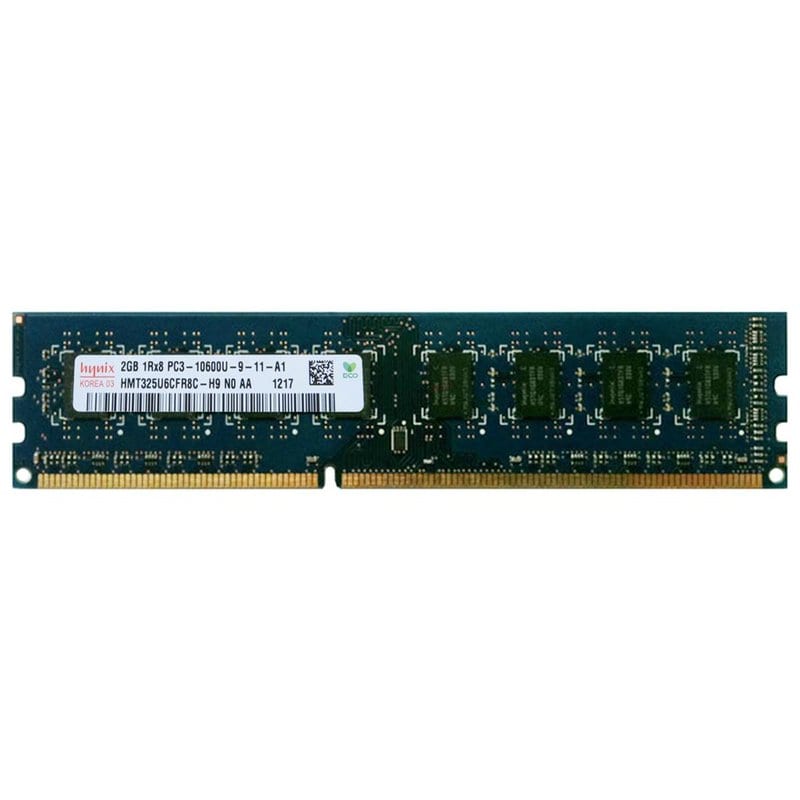
DIMM DDR3 2Gb 1333MHz hynix (HMT325U6CFR8C-H9)

DIMM DDR3 2Gb 1333MHz hynix (HMT325U6CFR8C-H9)

Regular price 0
Regular price Sale price 0

SKU: 1490

Out of stock

Description

DIMM DDR3 2Gb 1333MHz Hynix (HMT325U6CFR8C-H9)

  • Product type: RAM module
  • Manufacturer: Hynix
  • Memory capacity: 2 GB
  • Form factor: DIMM
  • Memory standard: DDR3-1333/PC3-10600
  • Memory type: DDR3 SDRAM
  • Timing diagram: CL9
  • Number of legs: 240
  • Memory frequency: 1333 MHz
  • Supply voltage: 1.5V
  • Manufacturer code: HMT325U6CFR8C-H9

Why do you need to increase memory?

  • Increasing the speed of launching the operating system and programs
  • Eliminate the bottleneck effect that slows down your applications
  • Allows your programs to run at maximum performance
  • Increases the number of programs running simultaneously

To save money

  • Upgrading memory is cheaper than buying a new computer
  • Installing memory modules yourself will save you extra money
  • Memory upgrades give the biggest performance boost
  • Reduced loading time increases productivity and saves time

How to choose the right memory?

To choose the right RAM, we recommend using the CPU-Z program. It will show you the exact model, frequency, and amount of memory currently installed. This will give you an idea of ​​what to look for.

You can also consult us by phone or in the chat on the website.

Part number: hmt325u6cfr8c-h9 1490
View full details

Description

DIMM DDR3 2Gb 1333MHz Hynix (HMT325U6CFR8C-H9)

  • Product type: RAM module
  • Manufacturer: Hynix
  • Memory capacity: 2 GB
  • Form factor: DIMM
  • Memory standard: DDR3-1333/PC3-10600
  • Memory type: DDR3 SDRAM
  • Timing diagram: CL9
  • Number of legs: 240
  • Memory frequency: 1333 MHz
  • Supply voltage: 1.5V
  • Manufacturer code: HMT325U6CFR8C-H9

Why do you need to increase memory?

  • Increasing the speed of launching the operating system and programs
  • Eliminate the bottleneck effect that slows down your applications
  • Allows your programs to run at maximum performance
  • Increases the number of programs running simultaneously

To save money

  • Upgrading memory is cheaper than buying a new computer
  • Installing memory modules yourself will save you extra money
  • Memory upgrades give the biggest performance boost
  • Reduced loading time increases productivity and saves time

How to choose the right memory?

To choose the right RAM, we recommend using the CPU-Z program. It will show you the exact model, frequency, and amount of memory currently installed. This will give you an idea of ​​what to look for.

You can also consult us by phone or in the chat on the website.

Part number: hmt325u6cfr8c-h9 1490
Regular price 0
Regular price Sale price 0

Out of stock